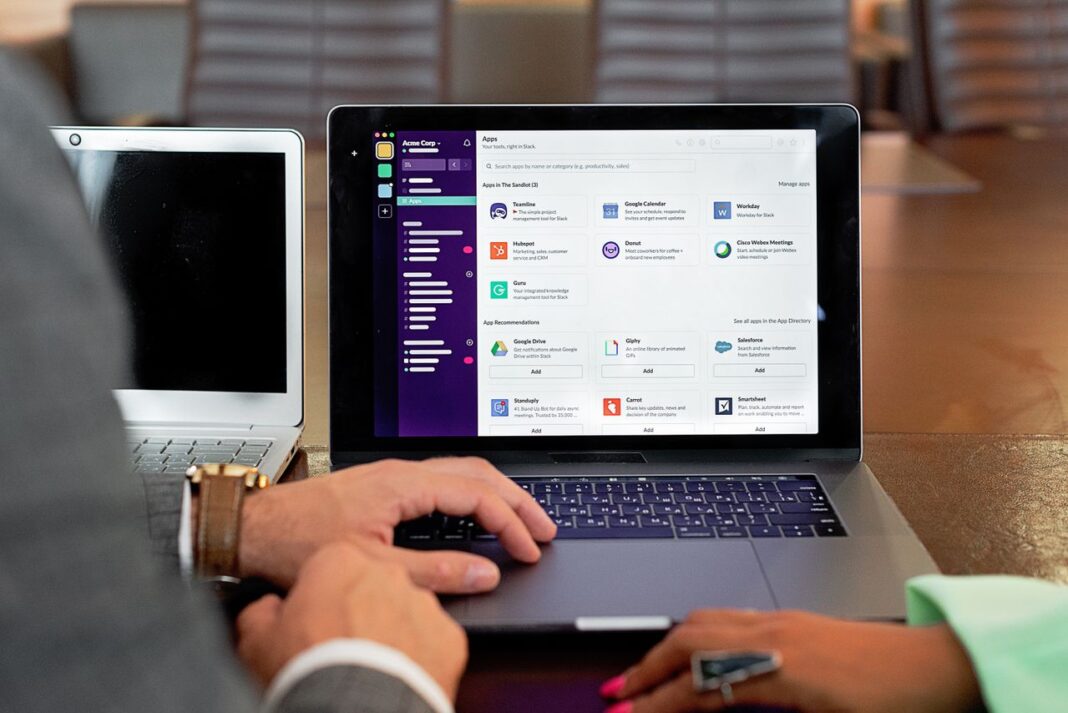
Email marketing remains one of the most effective ways for small businesses to connect with customers, build relationships, promote products, and increase sales. Whether you run an online store, a local service business, a blog, or a growing startup, the right email marketing platform can help you reach your audience without requiring a large marketing budget.
However, choosing the right software is not always easy. Some platforms focus on simple newsletters, while others offer advanced automation, customer relationship management (CRM), SMS marketing, e-commerce integrations, and sales funnels. Pricing structures also vary significantly. Some providers charge according to the number of subscribers, while others base their plans on the number of emails you send.
The best email marketing platform for your business depends on your budget, audience size, marketing goals, and the features you actually need. Mailchimp is a strong all-around option, MailerLite is beginner-friendly, Brevo offers flexible pricing, and platforms such as Klaviyo and Omnisend are designed for e-commerce businesses.
In this guide, we compare 22 of the best email marketing platforms for small businesses in 2026, including their main features, advantages, disadvantages, pricing, and ideal use cases.
Quick Comparison: Best Email Marketing Platforms for Small Businesses
| Platform | Best For | Starting Price | Free Plan |
|---|---|---|---|
| Sequenzy | SaaS and online businesses | $19/month | Yes |
| Mailchimp | All-in-one marketing | $13/month | Yes |
| MailerLite | Simplicity and value | $10/month | Yes |
| Brevo | Budget-friendly marketing | $9/month | Yes |
| Mailercloud | Deliverability tools | $10/month | Yes |
| Kit (ConvertKit) | Creators and bloggers | $15/month | Yes |
| Constant Contact | Local businesses and events | $12/month | No |
| AWeber | Beginners | $15/month | Yes |
| GetResponse | Sales funnels | $19/month | Yes |
| ActiveCampaign | Advanced automation | $29/month | No |
| Moosend | Affordable automation | $9/month | Trial |
| Omnisend | Small e-commerce stores | $16/month | Yes |
| Campaign Monitor | Email design | $11/month | No |
| Drip | E-commerce automation | $39/month | Trial |
| Benchmark Email | Multilingual businesses | $8/month | Yes |
| Sender | Budget-conscious businesses | $8/month | Yes |
| Flodesk | Design-focused creators | $38/month | Trial |
| Klaviyo | Shopify stores | $20/month | Yes |
| HubSpot | CRM and email marketing | $20/month | Limited |
| Loops | SaaS startups | $49/month | Limited |
| Buttondown | Newsletter writers | $9/month | Yes |
| Beehiiv | Newsletter businesses | $49/month | Yes |
Prices and free-plan limits are based on the supplied comparison and may change. Check each provider’s official website for current offers and conditions.
Best Email Marketing Platforms by Business Type
Not every small business needs the same email marketing features. A local restaurant may prioritize event promotions and customer updates, while an online store may need abandoned-cart automation and product recommendations.
Here are some of the strongest options for different business models.
Best for Local Service Businesses: Constant Contact
Constant Contact is a practical choice for businesses that organize events, appointments, classes, workshops, or local promotions. Its templates, event marketing tools, and customer support make it useful for restaurants, gyms, retail shops, and service providers.
Best for Creators and Solopreneurs: Kit
Kit, formerly known as ConvertKit, is designed for bloggers, podcasters, YouTubers, and independent creators. It offers tools for building an audience, sending newsletters, selling digital products, and monetizing subscribers.
Best for SaaS and Online Subscription Businesses: Sequenzy
Sequenzy focuses on online businesses, software companies, and subscription-based services. Its Stripe integration and event-driven automation help businesses send messages based on customer activity, subscription information, and payment events.
Best for Shopify Stores: Klaviyo or Omnisend
Klaviyo and Omnisend are both strong choices for e-commerce businesses. Klaviyo offers advanced customer segmentation and revenue tracking, while Omnisend provides accessible e-commerce automation, including abandoned-cart and post-purchase emails.
Best for Tight Budgets: Brevo, MailerLite, or Sender
Brevo is attractive for businesses with large contact lists that send emails less frequently. MailerLite offers an approachable interface and useful marketing tools, while Sender provides a generous free plan with automation features.
Detailed Reviews of the 22 Best Email Marketing Platforms
1. Mailchimp
Best for: Small businesses that need integrations and all-in-one marketing tools
Mailchimp is one of the most recognizable email marketing platforms. Its large integration ecosystem makes it a convenient choice for businesses that already use different tools to manage their websites, online stores, accounting, and marketing activities.
The platform combines email campaigns with customer management, landing pages, marketing automation, and additional marketing features. Its integration options include popular services such as Shopify, QuickBooks, and Canva.
Key Features
- More than 300 integrations
- Drag-and-drop email editor and templates
- AI-powered content assistance
- Landing page builder
- Basic CRM functionality
- Customer journey automation
- A/B and multivariate testing
- Social media marketing tools
Pricing: The free plan supports up to 250 contacts and 500 monthly email sends. Paid Essentials plans start at approximately $13 per month for 500 contacts.
Pros
- Large integration ecosystem
- Well-known and established platform
- Good selection of email templates
- Useful marketing and content tools
- Suitable for businesses using multiple third-party applications
Cons
- Costs can increase as your contact list grows
- Free-plan branding and limitations
- Advanced automation may require higher plans
- Pricing and contact-count rules require careful review
Mailchimp is a strong option for small businesses that want an established platform capable of connecting with many other business applications. It is particularly useful when integrations are more important than having the lowest possible monthly cost.
2. Sequenzy
Best for: SaaS companies and online subscription businesses
Sequenzy is designed for businesses that sell software, memberships, subscriptions, and digital services. Instead of focusing exclusively on traditional newsletters, it emphasizes customer activity, automated sequences, and transactional communication.
One of its main features is its Stripe integration, which can connect customer and subscription information with email marketing workflows. This makes it useful for businesses that want to send targeted messages based on subscription plans, payments, and other customer events.
Key Features
- Stripe integration
- Event-driven email automation
- Subscriber segmentation
- Visual email editor
- Marketing and transactional email
- Analytics dashboard
- API and webhooks
- Send-time optimization
Pricing: Free plan with up to 2,500 emails per month. Paid plans start at approximately $19 per month.
Pros
- Pricing structure designed for online businesses
- Useful Stripe integration
- Combines marketing and transactional email
- Event-based automation
- API and webhook support
Cons
- Smaller integration ecosystem than Mailchimp
- Newer platform with a smaller community
- No built-in landing page builder
- SMS and MMS require an additional paid option
- Less suitable for traditional local businesses
Sequenzy is worth considering if your business operates online and relies on subscriptions, trials, recurring payments, or customer onboarding. Traditional newsletter publishers may find other platforms easier to use.
3. MailerLite
Best for: Small businesses that want an easy-to-use platform
MailerLite is known for its straightforward interface and accessible marketing tools. It is particularly attractive to entrepreneurs and small businesses that want to create newsletters, build subscriber lists, and automate basic campaigns without learning complicated software.
The platform includes email templates, signup forms, landing pages, website-building tools, and marketing automation. These features make it useful for businesses that want to manage several basic marketing activities from one place.
Key Features
- Drag-and-drop email editor
- Landing pages and signup forms
- Marketing automation
- Website builder
- E-commerce integrations
- A/B testing
- Surveys and quizzes
- Paid newsletter subscriptions
Pricing: The free plan supports up to 250 subscribers and 2,500 monthly emails. Paid Growing Business plans start at approximately $10 per month for 500 subscribers.
Pros
- Beginner-friendly interface
- Useful free-plan features
- Landing pages and forms included
- Affordable entry-level paid plans
- Suitable for newsletters and basic automation
Cons
- Advanced automation is more limited
- Reporting could be more detailed
- No full CRM system
- Smaller template selection than some competitors
- No phone support
MailerLite is an excellent starting point for solo entrepreneurs, bloggers, and small businesses that need a simple way to collect subscribers and send professional-looking email campaigns.
4. Brevo
Best for: Budget-conscious businesses with larger contact lists
Brevo, formerly known as Sendinblue, stands out because its pricing is primarily based on email volume rather than the total number of stored contacts. This can make it attractive to businesses with large subscriber lists that do not send campaigns frequently.
The platform also offers CRM functionality, SMS and WhatsApp messaging, transactional emails, marketing automation, and other communication tools.
Key Features
- Email marketing and CRM
- SMS and WhatsApp messaging
- Marketing automation
- Landing pages
- Transactional email
- Chat tools
- Sales pipeline management
- Contact management
Pricing: The free plan includes unlimited contacts and up to 300 emails per day. Paid Starter plans begin at approximately $9 per month for 5,000 monthly emails.
Pros
- Pricing based on email volume
- Free plan supports unlimited contacts
- Multiple communication channels
- Built-in CRM tools
- Transactional email capabilities
Cons
- Branding on the free plan
- Email editor may feel less polished than competitors
- Automation has a learning curve
- Support availability and response times can vary
Brevo is particularly useful when your business has thousands of contacts but sends only occasional newsletters or promotional campaigns. Its pricing model can be more economical than contact-based subscriptions.
5. Mailercloud
Best for: Businesses that want affordable email marketing and deliverability monitoring
Mailercloud is an email marketing platform that focuses on campaign creation, automation, and email deliverability. One of its distinguishing features is inbox placement monitoring, which helps businesses understand whether their messages are reaching inboxes, spam folders, or promotional tabs.
For small businesses that depend on newsletters and promotional campaigns, visibility into email delivery can be valuable.
Key Features
- Drag-and-drop email editor
- Behavior-based automation
- Advanced segmentation
- Interactive AMP emails
- Subject-line suggestions
- Inbox placement monitoring
- A/B testing
- Transactional email support
Pricing: The free plan supports up to 1,000 contacts and 12,000 monthly emails. Paid Starter plans begin at approximately $10 per month.
Pros
- Useful free plan
- Email placement monitoring
- Interactive email capabilities
- Affordable entry-level pricing
- Easy-to-use interface
Cons
- Smaller integration library than Mailchimp
- No built-in CRM
- No landing page builder
- Smaller ecosystem than established competitors
Mailercloud may suit small businesses and independent marketers that want campaign tools and additional visibility into email deliverability without purchasing a separate monitoring service.
6. Kit (Formerly ConvertKit)
Best for: Bloggers, creators, and solopreneurs
Kit, previously known as ConvertKit, is built around the needs of content creators. Bloggers, podcasters, YouTubers, and online educators can use it to grow an audience, send newsletters, promote digital products, and create automated email sequences.
Its creator-focused tools include paid newsletters, subscriber tagging, landing pages, and digital product sales.
Key Features
- Visual automation builder
- Landing pages and signup forms
- Paid newsletters
- Digital product sales
- Subscriber tagging
- Creator recommendations and cross-promotion
- Newsletter referral tools
- Sponsor marketplace
Pricing: The free plan supports up to 300 subscribers. Paid Creator plans start at approximately $15 per month.
Pros
- Designed specifically for creators
- Tools for selling digital products
- Flexible subscriber tagging
- Useful newsletter features
- Simple interface
Cons
- Limited e-commerce functionality
- Basic reporting compared with advanced platforms
- Minimalist email design options
- Costs can increase as the subscriber list grows
Kit is a good option for businesses built around a personal brand, educational content, or a creator-led audience. It is less suitable for stores that need sophisticated product-based automation.
7. Constant Contact
Best for: Local businesses and event marketing
Constant Contact has a long history in email marketing and is particularly popular with local businesses and organizations. Restaurants, gyms, shops, nonprofits, and service providers can use it to promote events, share updates, and maintain communication with customers.
Its event marketing and registration features make it different from platforms that focus primarily on newsletters.
Key Features
- More than 200 email templates
- Event marketing and registration
- Social media posting and advertising
- SMS marketing
- Surveys and polls
- Coupon creation
- Contact list management
- Marketing automation
Pricing: Lite plans start at approximately $12 per month for 500 contacts, while Standard plans start at approximately $35 per month. A permanent free plan is not included in the supplied pricing information.
Pros
- Useful event marketing tools
- Large template selection
- Suitable for local businesses
- Social media features
- Phone support availability
Cons
- More expensive than several alternatives
- Automation is less advanced than ActiveCampaign
- Interface may feel dated
- Limited segmentation compared with specialist platforms
- No permanent free plan
Constant Contact is a practical choice for businesses that organize classes, workshops, community events, and local promotions. Its event-focused features can be more valuable than advanced automation for these businesses.
8. AWeber
Best for: Beginners who want templates and customer support
AWeber is an established email marketing service designed to make campaign creation easier for beginners. Its interface and educational resources help new users understand how to create newsletters, manage subscribers, and set up basic automation.
The platform also offers a large collection of email templates and integrations with tools such as Canva.
Key Features
- Drag-and-drop email builder
- More than 600 templates
- Landing pages
- Marketing automation
- Web push notifications
- E-commerce tools
- RSS-to-email
- Canva integration
Pricing: A free plan supports up to 500 subscribers. Paid Pro plans start at approximately $15 per month for 500 subscribers.
Pros
- Large template library
- Beginner-friendly tools
- Educational resources
- Customer support
- Free plan available
Cons
- Automation is less advanced than specialist platforms
- Interface is not as modern as some competitors
- Segmentation options can be limited
- Reporting could be more detailed
AWeber is worth considering if you are new to email marketing and prefer a platform with plenty of templates, tutorials, and support resources.
9. GetResponse
Best for: Businesses that use sales funnels and webinars
GetResponse combines email marketing with landing pages, conversion funnels, webinars, and automation. This makes it useful for businesses that sell products, services, or online courses through structured marketing campaigns.
Instead of relying on several separate services, users can manage multiple parts of their marketing strategy within one platform.
Key Features
- Email marketing and automation
- Conversion funnel builder
- Webinar hosting
- Landing pages
- E-commerce tools
- SMS marketing
- Live chat
- AI email content tools
- Push notifications
Pricing: The free plan supports up to 500 subscribers with limited newsletter functionality. Paid Email Marketing plans start at approximately $19 per month.
Pros
- Built-in conversion funnels
- Webinar hosting
- Landing page tools
- Marketing automation
- Multiple marketing features in one platform
Cons
- Can feel overwhelming for beginners
- Some features have a learning curve
- Free-plan functionality is limited
- Not every business needs its additional tools
GetResponse is a good choice for small businesses that sell online courses, digital products, or services and want email campaigns, landing pages, and webinars in one place.
10. ActiveCampaign
Best for: Growing businesses that need advanced automation
ActiveCampaign is designed for businesses that want more control over customer communication and automated marketing workflows. Its visual automation builder allows users to create sequences based on customer actions, website activity, purchases, and other conditions.
The platform also includes CRM functionality, contact scoring, and a large integration ecosystem.
Key Features
- Visual automation builder
- CRM and sales pipeline
- Contact scoring
- Conditional email content
- Website and event tracking
- Predictive sending
- More than 900 integrations
- Advanced customer journeys
Pricing: Starter plans begin at approximately $29 per month for 1,000 contacts. Higher-level plans cost more, and a free plan is not included in the supplied pricing information.
Pros
- Powerful automation capabilities
- Built-in CRM
- Advanced segmentation
- Large integration ecosystem
- Useful behavioral tracking
Cons
- More expensive than beginner-focused alternatives
- No permanent free plan
- Learning curve for new users
- Some features may be unnecessary for very small businesses
ActiveCampaign is a strong option for businesses that have outgrown basic newsletters and need more sophisticated lead nurturing, customer journeys, and automated follow-ups.
11. Moosend
Best for: Affordable marketing automation
Moosend offers email marketing and automation features at a relatively accessible price. It is aimed at businesses that want to create automated campaigns without paying for a more advanced platform.
Its tools include email templates, segmentation, landing pages, subscription forms, analytics, and e-commerce recommendations.
Key Features
- Drag-and-drop email editor
- Marketing automation
- Landing pages
- Subscription forms
- Segmentation
- A/B testing
- Analytics and reporting
- E-commerce product recommendations
Pricing: Moosend does not offer a permanent free plan in the supplied pricing information, but it provides a 30-day trial. Paid Pro plans start at approximately $9 per month for 500 subscribers.
Pros
- Affordable entry-level pricing
- Useful automation features
- Easy-to-use interface
- E-commerce recommendations
- Unlimited emails on the listed plans
Cons
- No permanent free plan
- Smaller template library
- Fewer integrations than larger competitors
- Limited CRM functionality
Moosend is worth considering for small businesses that want basic-to-intermediate automation at a reasonable price.
12. Omnisend
Best for: Small e-commerce businesses
Omnisend is designed specifically for online stores. It helps businesses communicate with customers throughout the shopping journey, from the first website visit to post-purchase follow-ups.
Its pre-built workflows can automate welcome emails, abandoned-cart reminders, order confirmations, and product-related messages.
Key Features
- E-commerce automation workflows
- Email and SMS marketing
- Push notifications
- Product recommendations
- Shopify, WooCommerce, and BigCommerce integrations
- Purchase-based segmentation
- Signup forms and pop-ups
- Revenue tracking
Pricing: The free plan supports up to 250 contacts and 500 monthly emails. Standard plans start at approximately $16 per month for 500 contacts.
Pros
- Designed for e-commerce
- Pre-built automation workflows
- Useful online store integrations
- Product recommendations
- Email and SMS tools
Cons
- Less useful for businesses outside e-commerce
- Limited free-plan sending volume
- Costs increase as contact lists grow
- Some advanced features require higher plans
Omnisend is a strong choice for small online stores that want to automate abandoned-cart reminders, customer follow-ups, and promotional campaigns without building every workflow from scratch.
13. Campaign Monitor
Best for: Businesses that prioritize email design
Campaign Monitor focuses on creating professional-looking email campaigns. Its templates and drag-and-drop editor are designed for businesses that want their newsletters and promotional emails to reflect a consistent visual identity.
It can be particularly attractive to boutiques, creative agencies, restaurants, and design-focused businesses.
Key Features
- Professionally designed email templates
- Drag-and-drop editor
- Visual customer journey tools
- Subscriber segmentation
- A/B testing
- Time-zone-based sending
- Campaign analytics
- Separate transactional email product
Pricing: Lite plans start at approximately $11 per month for 500 subscribers, with Essentials plans starting at approximately $19 per month.
Pros
- Attractive email templates
- Easy-to-use editor
- Professional campaign designs
- Useful analytics
- Time-zone sending options
Cons
- No permanent free plan
- Limited CRM functionality
- Fewer integrations than some competitors
- Advanced automation may require higher plans
- Pricing can increase as your list grows
Campaign Monitor is a suitable option for businesses that place a high value on visual presentation and want their email campaigns to look professional.
14. Drip
Best for: E-commerce stores that need detailed customer insights
Drip is an e-commerce-focused marketing platform that tracks customer behavior and uses that information to create personalized email campaigns. Businesses can use shopping activity, purchase history, and other customer interactions to build targeted marketing workflows.
Its revenue attribution and behavioral tracking features can help online stores understand how their email campaigns contribute to sales.
Key Features
- E-commerce CRM
- Customer behavior tracking
- Revenue attribution
- Visual automation builder
- Dynamic email content
- Product recommendations
- On-site pop-ups
- E-commerce integrations
Pricing: Plans start at approximately $39 per month for 2,500 contacts.
Pros
- Detailed e-commerce customer insights
- Revenue tracking
- Behavioral automation
- Dynamic product content
- Advanced customer segmentation
Cons
- More expensive than basic email tools
- Mainly designed for e-commerce
- Learning curve for beginners
- No permanent free plan in the supplied pricing information
Drip is best suited to established online stores that want to understand customer behavior and create more personalized marketing campaigns.
15. Benchmark Email
Best for: Businesses with multilingual audiences
Benchmark Email is an option for businesses that communicate with customers in different languages. Its multilingual interface and email marketing tools can help international companies, tourism businesses, and retailers manage campaigns for diverse audiences.
The platform also includes an email editor, landing pages, surveys, and basic automation.
Key Features
- Multilingual interface
- Drag-and-drop email editor
- Marketing automation
- Landing pages
- Surveys and polls
- A/B testing
- Built-in photo editing
- RSS-to-email
Pricing: The free plan supports up to 500 subscribers and 3,500 monthly emails. Paid Pro plans start at approximately $8 per month for 500 subscribers.
Pros
- Multilingual support
- Affordable pricing
- Free plan available
- Built-in photo editing
- Beginner-friendly interface
Cons
- Automation is relatively basic
- Template designs may feel limited
- Smaller integration ecosystem
- Reporting could be more detailed
Benchmark Email can be useful for businesses that serve customers across different language communities and need straightforward email marketing tools.
16. Sender
Best for: Small businesses that want a generous free plan
Sender is a budget-friendly email marketing platform that offers newsletters, automation, subscriber management, and additional marketing features. Its free plan is particularly attractive to small businesses that want to start building an email list without committing to a paid subscription immediately.
Key Features
- Email and SMS marketing
- Marketing automation
- Signup forms and pop-ups
- Subscriber segmentation
- Campaign analytics
- E-commerce integrations
- Newsletter builder
Pricing: The free plan supports up to 2,500 subscribers and 15,000 monthly emails. Standard plans start at approximately $8 per month.
Pros
- Generous free subscriber allowance
- Automation included in the free plan
- Affordable paid plans
- Email and SMS marketing tools
- Easy-to-use interface
Cons
- Branding on the free plan
- Smaller integration ecosystem
- Fewer advanced features than premium platforms
- Smaller brand presence than major competitors
Sender is a strong option for startups, bloggers, and small businesses that want to build an email list while keeping initial marketing costs low.
17. Flodesk
Best for: Creative businesses that prioritize design
Flodesk focuses on visual email design and a simple user experience. Its templates are especially attractive to photographers, designers, independent creators, and other businesses that want their newsletters to have a polished, magazine-style appearance.
Its pricing model is also different from many competitors, with a flat-rate option that is designed to avoid increasing subscriber-based costs.
Key Features
- Visually designed email templates
- Drag-and-drop editor
- Subscriber segmentation
- Marketing workflows
- Analytics
- Signup forms
- Online checkout for digital products
Pricing: Approximately $38 per month for unlimited subscribers and emails, with a 30-day trial.
Pros
- Attractive templates
- Simple interface
- Flat-rate pricing structure
- Suitable for creative brands
- Useful design-focused tools
Cons
- More expensive for very small lists
- Less advanced automation than specialist platforms
- Limited integrations
- No permanent free plan
- Not ideal for complex CRM requirements
Flodesk is worth considering for creative businesses that care more about visual presentation and predictable pricing than advanced automation or extensive integrations.
18. Klaviyo
Best for: Shopify stores and data-driven e-commerce marketing
Klaviyo is a popular choice for online retailers, particularly those using Shopify. Its e-commerce integrations allow businesses to use customer information, product data, order history, and shopping behavior to create targeted campaigns.
The platform offers advanced segmentation, automated customer journeys, and revenue tracking. These features can help online stores send more relevant messages based on individual shopping activity.
Key Features
- Shopify integration
- Product catalog synchronization
- Predictive analytics
- Pre-built e-commerce workflows
- Dynamic product content
- Purchase-based segmentation
- Revenue attribution
- Email and SMS marketing
Pricing: The free plan supports up to 250 contacts and 500 email sends. Paid pricing increases with list size; the supplied comparison estimates approximately $45 per month for 5,000 contacts.
Pros
- Strong Shopify integration
- Advanced customer segmentation
- E-commerce automation
- Revenue tracking
- Predictive analytics
Cons
- Can become expensive as your list grows
- More complex than basic newsletter platforms
- Less suitable for non-e-commerce businesses
- Pricing requires careful comparison
Klaviyo is a strong option for Shopify businesses that want detailed customer insights and personalized marketing automation. Smaller businesses with simple newsletter needs may find it more advanced than necessary.
19. HubSpot
Best for: Small businesses that want CRM and email marketing together
HubSpot combines customer relationship management with marketing, sales, and customer service tools. Its free CRM is one of its main attractions, while its email marketing features allow businesses to communicate with contacts using information stored in their customer database.
For companies with an active sales process, this connection can make it easier to organize leads, track customer interactions, and coordinate marketing campaigns.
Key Features
- Email campaign builder
- CRM and contact management
- Marketing automation
- Customer segmentation
- A/B testing
- Analytics and attribution
- Sales pipeline management
- Integration with other HubSpot tools
Pricing: HubSpot offers a free CRM with limited email marketing capabilities. Marketing Hub Starter plans begin at approximately $20 per month, while higher-level plans can be significantly more expensive.
Pros
- Strong CRM integration
- Contact and sales management
- Useful marketing analytics
- Free CRM option
- Multiple business tools in one ecosystem
Cons
- Advanced features can become expensive
- The platform may feel complex for beginners
- Email marketing is not necessarily its strongest standalone feature
- Moving away from an established CRM setup can require significant work
HubSpot is a good option for businesses that want to manage customer relationships and marketing activities in one place. It is especially useful when sales tracking is as important as sending newsletters.
20. Loops
Best for: Modern SaaS startups
Loops is an email platform focused on software companies and technology businesses. Its clean interface, event-based automation, and developer-friendly approach make it suitable for SaaS companies that need to communicate with users throughout the customer lifecycle.
Businesses can use it for onboarding messages, product updates, trial reminders, and other automated communication.
Key Features
- Event-based automation
- Modern email editor
- API-focused design
- Subscriber segmentation
- Campaign analytics
- Transactional and marketing email
- SaaS-oriented workflows
Pricing: The free tier has limited functionality. Paid plans start at approximately $49 per month for 5,000 contacts.
Pros
- Modern interface
- SaaS-focused features
- Developer-friendly API
- Event-based automation
- Marketing and transactional email capabilities
Cons
- More expensive than many small-business alternatives
- Smaller feature ecosystem
- Fewer templates than established competitors
- Less suitable for traditional local businesses
Loops is worth considering for technology startups that want a modern email platform designed around software users, product activity, and customer onboarding.
21. Buttondown
Best for: Writers, journalists, and independent newsletter publishers
Buttondown is a minimalist newsletter platform designed for people who want to focus on writing rather than managing a large marketing system.
It provides a clean interface, Markdown support, newsletter archives, subscription forms, and basic analytics. It does not try to compete with full marketing platforms that offer complex CRM systems, sales funnels, and advanced automation.
Key Features
- Markdown support
- Newsletter publishing
- Subscriber forms
- Newsletter archives
- Basic analytics
- Image hosting
- Basic automation
Pricing: The free plan supports up to 100 subscribers. Paid plans start at approximately $9 per month.
Pros
- Simple writing-focused interface
- Markdown support
- Easy to learn
- Lightweight platform
- Affordable entry-level plan
Cons
- Limited automation
- No advanced CRM features
- Few design and template options
- Not suitable for complex promotional campaigns
Buttondown is a good choice for writers, journalists, and bloggers who want a straightforward way to publish newsletters without unnecessary marketing features.
22. Beehiiv
Best for: Newsletter businesses and audience monetization
Beehiiv is designed for publishers and creators who want to build a newsletter business. In addition to writing and sending newsletters, it offers audience growth and monetization tools, including paid subscriptions, referral programs, and advertising opportunities.
This makes it different from traditional email marketing platforms that focus mainly on promotional campaigns and customer communication.
Key Features
- Newsletter publishing
- Advertising network tools
- Paid subscriptions
- Referral programs
- Audience analytics
- Recommendation network
- Polls and quizzes
- Newsletter growth tools
Pricing: The free plan supports up to 2,500 subscribers. Paid Grow plans start at approximately $49 per month, while Scale plans start at approximately $99 per month.
Pros
- Newsletter monetization tools
- Paid subscription options
- Referral and recommendation features
- Audience growth analytics
- Designed for newsletter publishers
Cons
- More expensive than many traditional email platforms
- Less suitable for general business marketing
- Some monetization features have a learning curve
- Not primarily designed for complex CRM workflows
Beehiiv is a strong option for creators and media businesses that want to turn a newsletter into a source of revenue through advertising, subscriptions, and audience growth.
Email Marketing Feature Comparison
Choosing a platform becomes easier when you compare the features that matter most to your business. The following tables provide a simplified overview based on the supplied platform comparison.
Core Email Marketing Features
| Platform | Drag-and-Drop Editor | Templates | A/B Testing | Dynamic Content | RSS-to-Email |
|---|---|---|---|---|---|
| Mailchimp | Yes | 100+ | Yes | Yes | Yes |
| Sequenzy | Yes | Yes | Yes | Yes | No |
| MailerLite | Yes | 70+ | Yes | No | Yes |
| Brevo | Yes | 40+ | Yes | Yes | Yes |
| Kit | Yes | Minimal | Yes | No | Yes |
| Constant Contact | Yes | 200+ | Yes | No | No |
| AWeber | Yes | 600+ | Yes | No | Yes |
| GetResponse | Yes | 100+ | Yes | Yes | Yes |
| ActiveCampaign | Yes | 250+ | Yes | Yes | Yes |
| Moosend | Yes | 70+ | Yes | No | Yes |
Automation Capabilities
| Platform | Visual Builder | Conditional Logic | Lead Scoring | Behavioral Triggers |
|---|---|---|---|---|
| Mailchimp | Basic | Limited | No | Limited |
| Sequenzy | Yes | Yes | No | Yes |
| MailerLite | Yes | Basic | No | Limited |
| Brevo | Yes | Yes | Yes | Limited |
| Kit | Yes | Yes | No | Limited |
| ActiveCampaign | Yes | Advanced | Yes | Yes |
| GetResponse | Yes | Yes | Yes | Yes |
| Omnisend | Yes | Yes | No | Yes |
| Drip | Yes | Advanced | Yes | Yes |
| Moosend | Yes | Yes | No | Yes |
E-Commerce Features
| Platform | Shopify Integration | WooCommerce Integration | Product Recommendations | Abandoned Cart |
|---|---|---|---|---|
| Klaviyo | Strong | Good | Yes | Yes |
| Omnisend | Good | Good | Yes | Yes |
| Drip | Good | Good | Yes | Yes |
| Mailchimp | Good | Good | Basic | Yes |
| Sequenzy | Good | Beta | No | Yes |
| ActiveCampaign | Good | Good | Yes | Yes |
| GetResponse | Basic | Basic | No | Yes |
| Brevo | Basic | Basic | No | Yes |
| MailerLite | Basic | Good | No | Yes |
| Moosend | Basic | Basic | Yes | Yes |
Integration depth and feature availability can depend on the platform plan, connected applications, and configuration.
How Much Does Email Marketing Cost for a Small Business?
Email marketing software can cost anywhere from nothing to hundreds of dollars per month. The final price depends on your contact list, monthly sending volume, automation requirements, and selected subscription plan.
A small business with a few hundred subscribers may be able to start with a free plan. As the audience grows, however, paid subscriptions may become necessary.
Example Pricing at 1,000 Subscribers
| Platform | Estimated Monthly Cost | Included Emails |
|---|---|---|
| Benchmark Email | $13 | 15,000 |
| Brevo | $9 | 5,000 |
| MailerLite | $15 | Unlimited |
| Moosend | $16 | Unlimited |
| Mailchimp | $26.50 | 12,000 |
| Sequenzy | $19 | Unlimited |
| Kit | $29 | Unlimited |
| ActiveCampaign | $29 | Up to 10x contacts |
| GetResponse | $19 | Unlimited |
| Omnisend | $20 | 6,000 |
These figures are estimates from the supplied comparison, not guaranteed current quotes. Plan limits and pricing can change.
How Prices Change as Your Email List Grows
A platform that looks inexpensive with 500 contacts may become considerably more expensive when your list reaches 25,000 or 100,000 subscribers.
The following estimates illustrate how different pricing models can affect your budget.
| Platform | 500 Contacts | 5,000 Contacts | 25,000 Contacts | 100,000 Contacts |
|---|---|---|---|---|
| Mailchimp | $13 | $75 | $299 | $800 |
| Sequenzy | $19 | $49 | $149 | Contact provider |
| MailerLite | $10 | $39 | $139 | $440 |
| Brevo | $9 | $18 | $35 | $65 |
| ActiveCampaign | $29 | $79 | $159 | $459 |
| Kit | $15 | $79 | $199 | Custom |
| Sender | $8 | $33 | $73 | $227 |
The comparison shows why it is important to evaluate pricing at your expected audience size rather than choosing a service based only on its free plan or introductory price.
For example, Brevo may be attractive to a business with many stored contacts and a relatively low sending frequency. A contact-based service may be more suitable for a business that sends frequent, highly personalized campaigns.
How to Choose the Right Email Marketing Platform
Before subscribing to an email marketing service, consider how your business operates and what you want email marketing to achieve.
Start With Your Business Type
E-commerce businesses: Consider Klaviyo, Omnisend, or Drip. These platforms offer shopping-related automation, abandoned-cart recovery, customer segmentation, and revenue tracking.
Local and service businesses: Constant Contact and Mailchimp are useful options for businesses that promote appointments, events, local offers, and customer updates.
SaaS and subscription businesses: Sequenzy, ActiveCampaign, and Loops are worth evaluating if you need event-based automation, user onboarding, and subscription-related communication.
Creators and bloggers: Kit and Beehiiv are designed for newsletter publishing, audience development, and creator monetization.
Budget-focused businesses: Sender, Brevo, and MailerLite offer accessible entry-level options for businesses that want to control their marketing expenses.
Consider Your Future Growth
Do not choose a platform based only on the number of subscribers you have today. Your audience may grow considerably over the next year, and switching providers can involve migrating contacts, rebuilding automated workflows, recreating templates, and reconnecting integrations.
Choose a service that can support your expected growth without making your marketing budget difficult to manage.
Check the Features You Actually Need
Before paying for a subscription, identify the features that will make a practical difference to your business.
- Budget: How much can you spend each month?
- Ease of use: Do you need a beginner-friendly interface or advanced controls?
- Automation: Do you need welcome emails, abandoned-cart messages, or complex customer journeys?
- Integrations: Does the platform connect with your website, online store, CRM, and other business tools?
- Marketing channels: Do you need email only, or also SMS and WhatsApp?
- Analytics: Can you track opens, clicks, conversions, and campaign performance?
- Customer support: Is email or chat support sufficient, or do you need phone assistance?
- Scalability: How much will the service cost when your list grows?
The best choice is not necessarily the platform with the most features. It is the one that supports your marketing strategy without adding unnecessary complexity or expense.
Frequently Asked Questions
What Is the Best Free Email Marketing Platform for Small Businesses?
Sender is a strong option for businesses looking for a generous free plan, with up to 2,500 subscribers and 15,000 monthly emails in the supplied comparison. MailerLite is another option for beginners who want a simple interface and basic automation. Brevo is worth considering if you have a large contact list but send relatively few emails.
Always check the latest free-plan limits before signing up.
How Much Should a Small Business Spend on Email Marketing?
Many small businesses can begin with a budget of approximately $10 to $50 per month. Services such as Brevo, MailerLite, and Sender offer relatively affordable entry-level plans.
The right budget depends on your subscriber count, email volume, automation needs, and the value generated by your campaigns.
When Should I Upgrade From a Free Email Marketing Plan?
You should consider upgrading when you reach the free plan’s subscriber or sending limits, need advanced automation, want to remove provider branding, or require additional integrations and reporting tools.
For many small businesses, this becomes relevant as their audience grows beyond the initial few hundred or thousand subscribers.
Does a Small Business Need Email Marketing Automation?
Automation can be useful even for a small business with a relatively modest subscriber list. A simple welcome email, follow-up sequence, or customer re-engagement campaign can help maintain communication without requiring you to send every message manually.
As your business grows, more advanced automation can support lead nurturing, customer retention, and repeat purchases.
What Email Marketing Features Should a Small Business Look For?
Most small businesses should start with an email editor, contact management, signup forms, campaign analytics, and basic automation.
As your marketing strategy becomes more advanced, segmentation, A/B testing, landing pages, and integrations may become increasingly valuable. Features such as predictive analytics and complex customer scoring are not essential for every small business.
Should I Use the Same Platform for Email Marketing and CRM?
It depends on how your business manages customers and sales. Platforms such as HubSpot and ActiveCampaign combine CRM and email marketing features, making it easier to connect customer information with marketing campaigns.
If your sales process is relatively simple, a dedicated email marketing service may be sufficient. Businesses with more complex sales operations may benefit from a platform that combines both functions.
What Is the Difference Between Mailchimp and Its Competitors?
Mailchimp’s main strengths are its brand recognition, integration ecosystem, and broad marketing features. However, some competitors offer more affordable pricing, simpler interfaces, or more specialized automation.
MailerLite focuses on ease of use, Brevo offers email-volume-based pricing, and Klaviyo specializes in e-commerce marketing. The right alternative depends on your business requirements.
Can I Use Email Marketing for a Brick-and-Mortar Business?
Yes. Email marketing can help physical stores, restaurants, gyms, and local service businesses communicate with customers, promote special offers, announce events, and encourage repeat visits.
You can collect email addresses through website signup forms, in-store registration, and customer loyalty programs. Always obtain appropriate permission before sending marketing emails.
What Is the Difference Between Email Marketing and a Newsletter?
A newsletter is one type of email marketing. Email marketing includes a wider range of communication, such as promotional campaigns, welcome sequences, automated follow-ups, transactional messages, and customer retention emails.
A newsletter usually focuses on regularly sharing news, updates, educational content, or curated information with subscribers.
How Long Does It Take to See Results From Email Marketing?
The time required depends on your audience, offer, campaign quality, and business model. Automated welcome messages can begin engaging new subscribers immediately, while newsletter engagement and customer relationships usually develop over time.
Businesses should monitor performance consistently and evaluate metrics such as click-through rates, conversions, unsubscribes, and revenue rather than relying only on email open rates.
Final Thoughts: Which Email Marketing Platform Should You Choose?
The best email marketing platform for a small business depends on its audience, marketing goals, and budget.
Mailchimp is a strong all-around choice for businesses that need integrations and a broad set of marketing tools. MailerLite is particularly attractive for beginners, while Brevo and Sender are worth considering when keeping costs low is a priority.
Businesses that sell products online may benefit more from Klaviyo or Omnisend, while creators and newsletter publishers should consider Kit or Beehiiv. For companies that need advanced automation, ActiveCampaign offers more sophisticated workflows, and SaaS businesses may find Sequenzy or Loops more relevant.
Before making a decision, compare the actual cost at your expected subscriber count, check the available integrations, and make sure the platform includes the features you will genuinely use.
A well-chosen email marketing service can help your small business build stronger customer relationships, generate repeat sales, and create a more consistent marketing strategy as your company grows.
Disclaimer: This article is for general informational purposes only. Pricing, features, integrations, and free-plan limits are subject to change. Check each provider’s official website for the latest information before purchasing a subscription.